Creating A Tileset
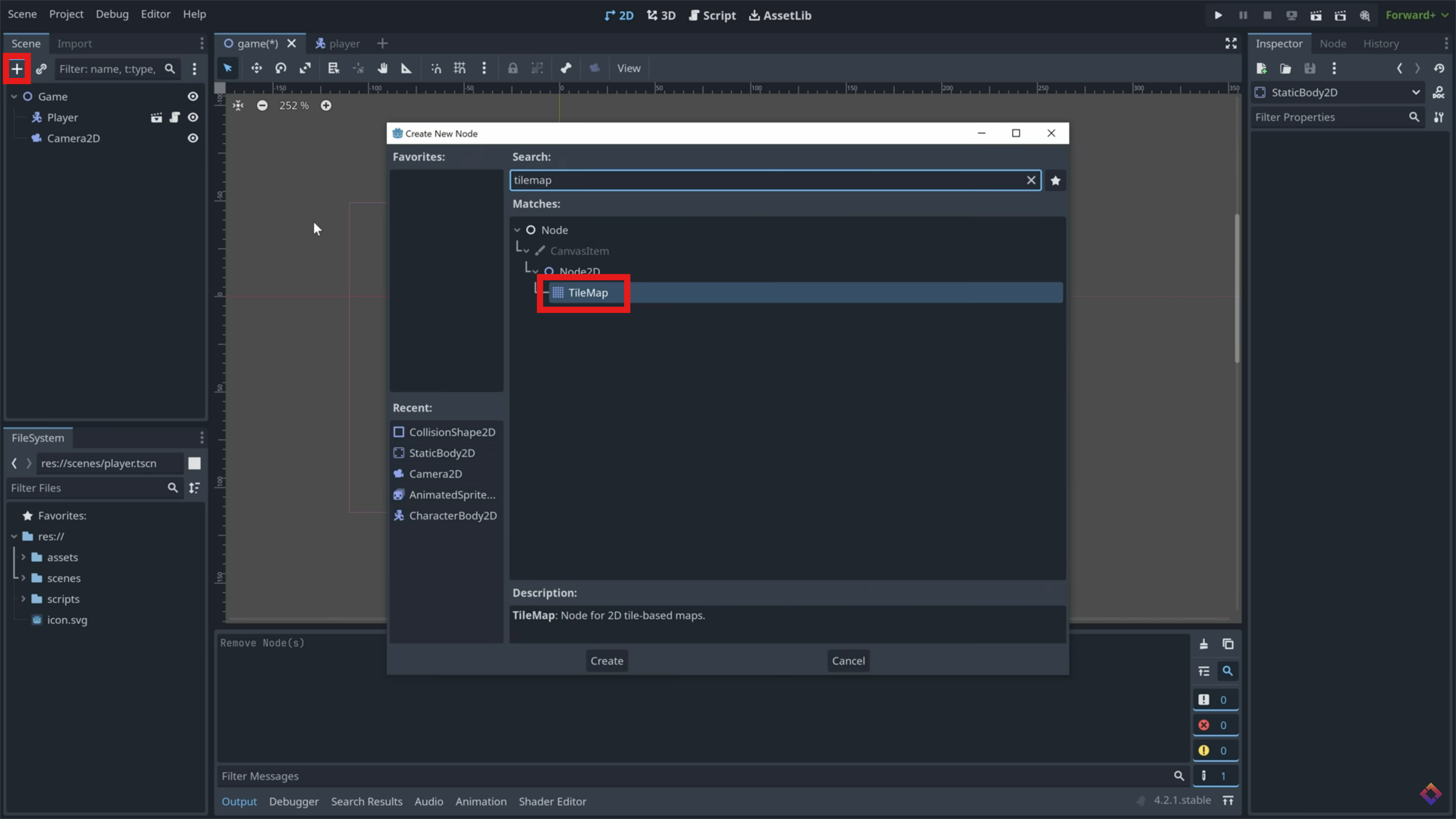
Add TileMap
In your game scene, add a 'TileMap' as a child of your game node.
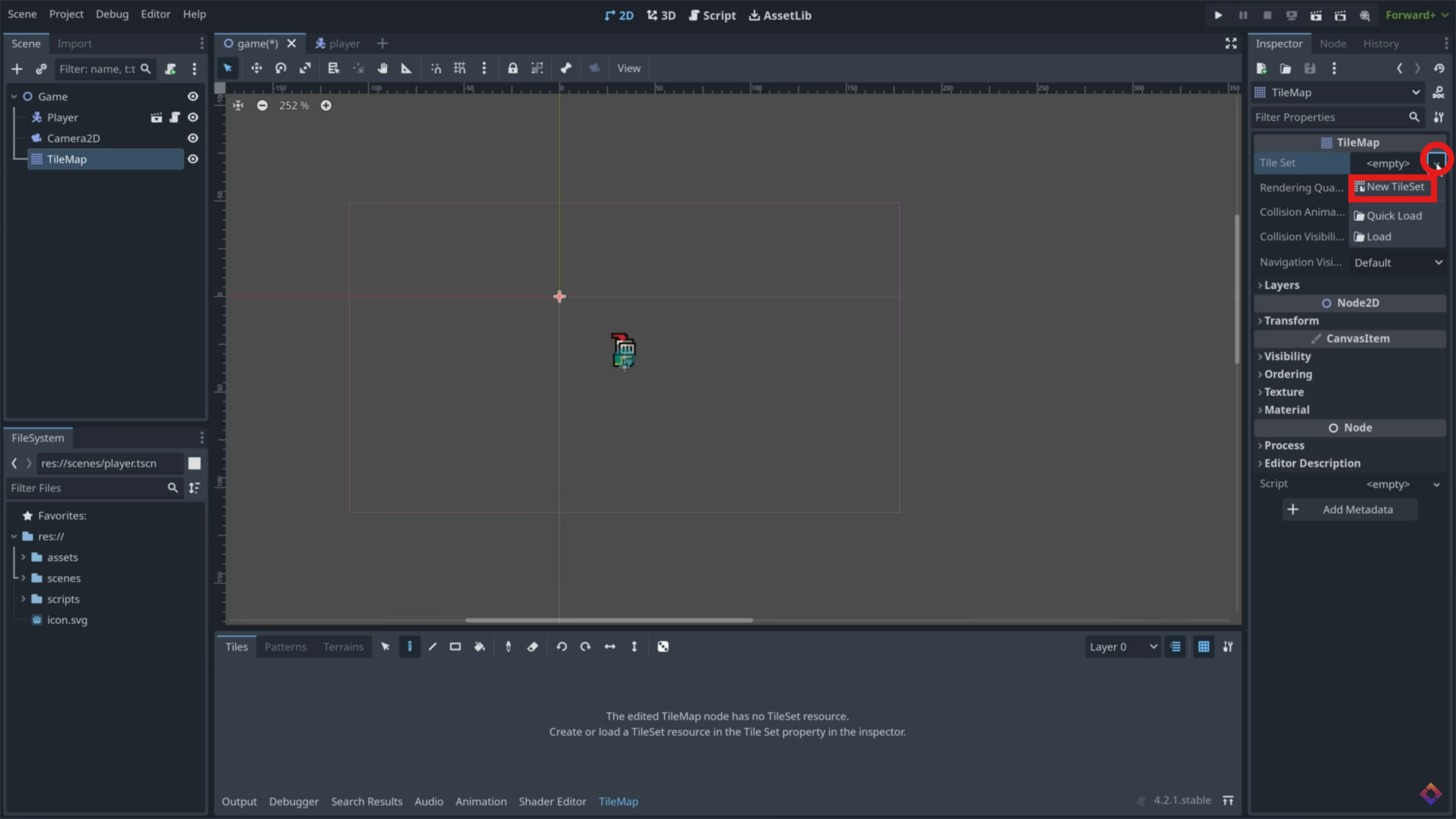
Create TileSet
In the inspector window, create a new tileset.
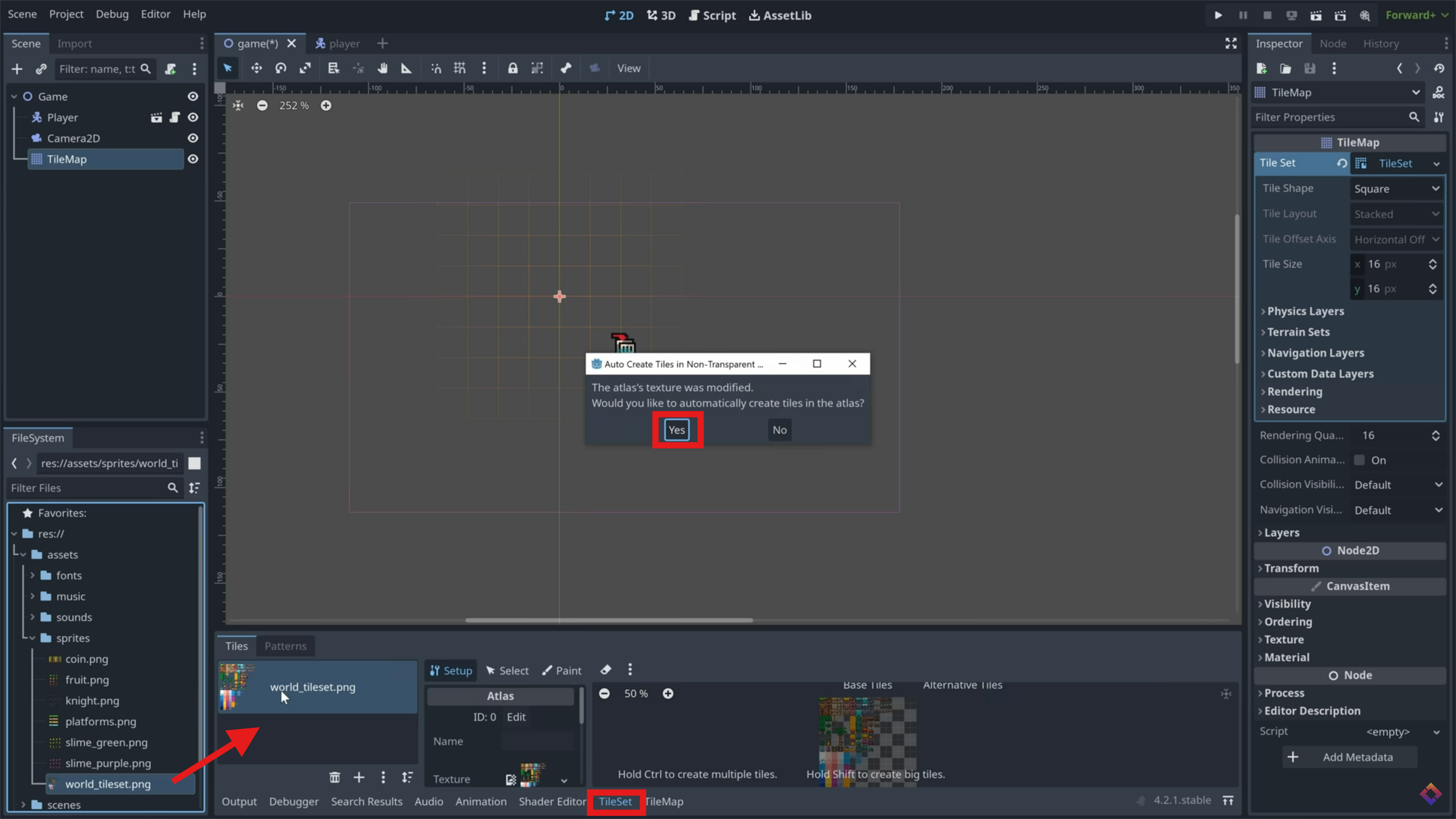
Import Tileset
At the bottom of the screen, click 'TileSet'. If you're using the demo assets, drag in 'world_tileset.png' to this screen. Click 'yes' when It asks if you want to automatically create tiles in the atlas.
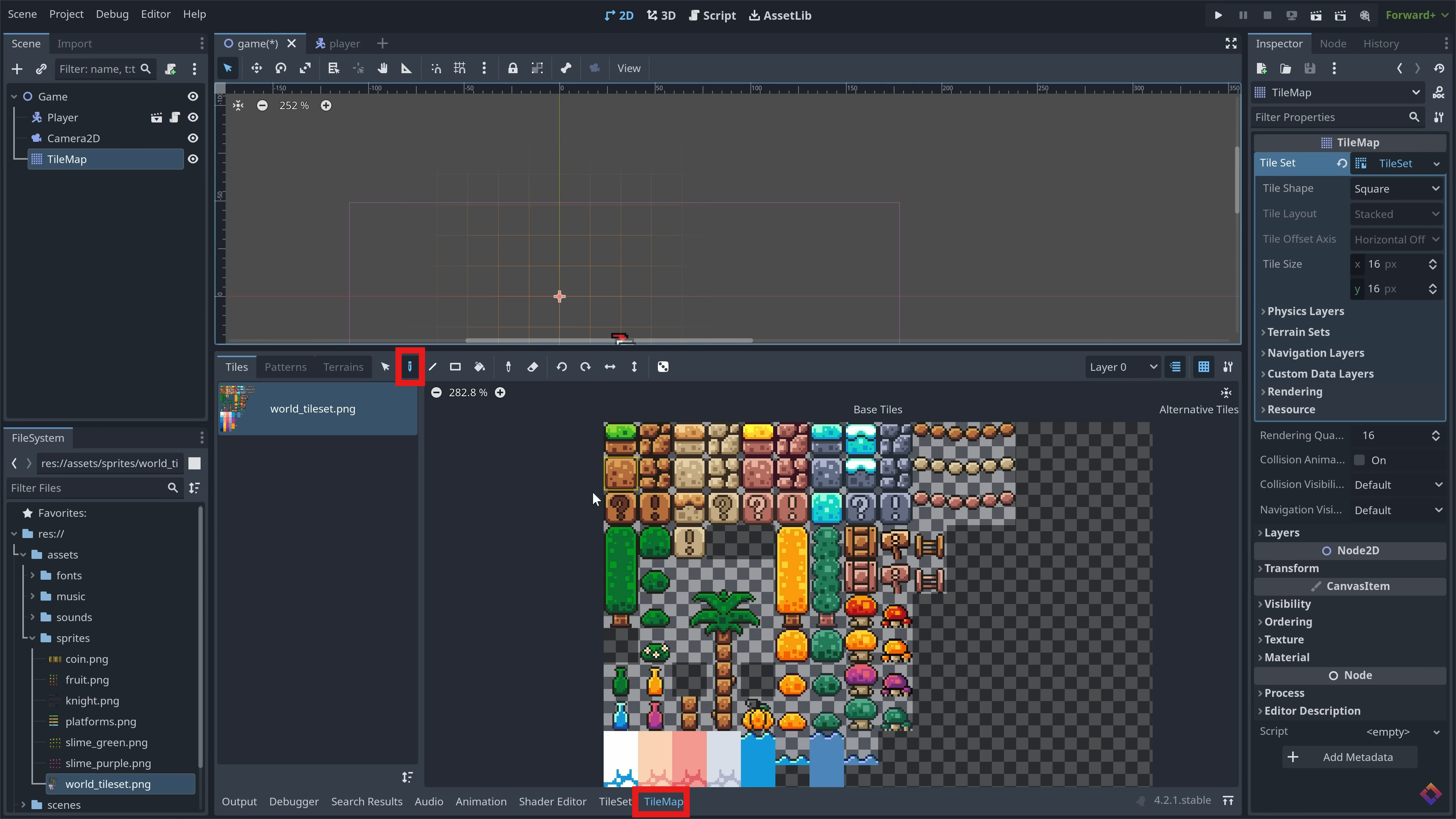
Paint Environment
Using the paint tool in the TileMap window, select a tile and start to paint in your environment to the game scene. Get creative!
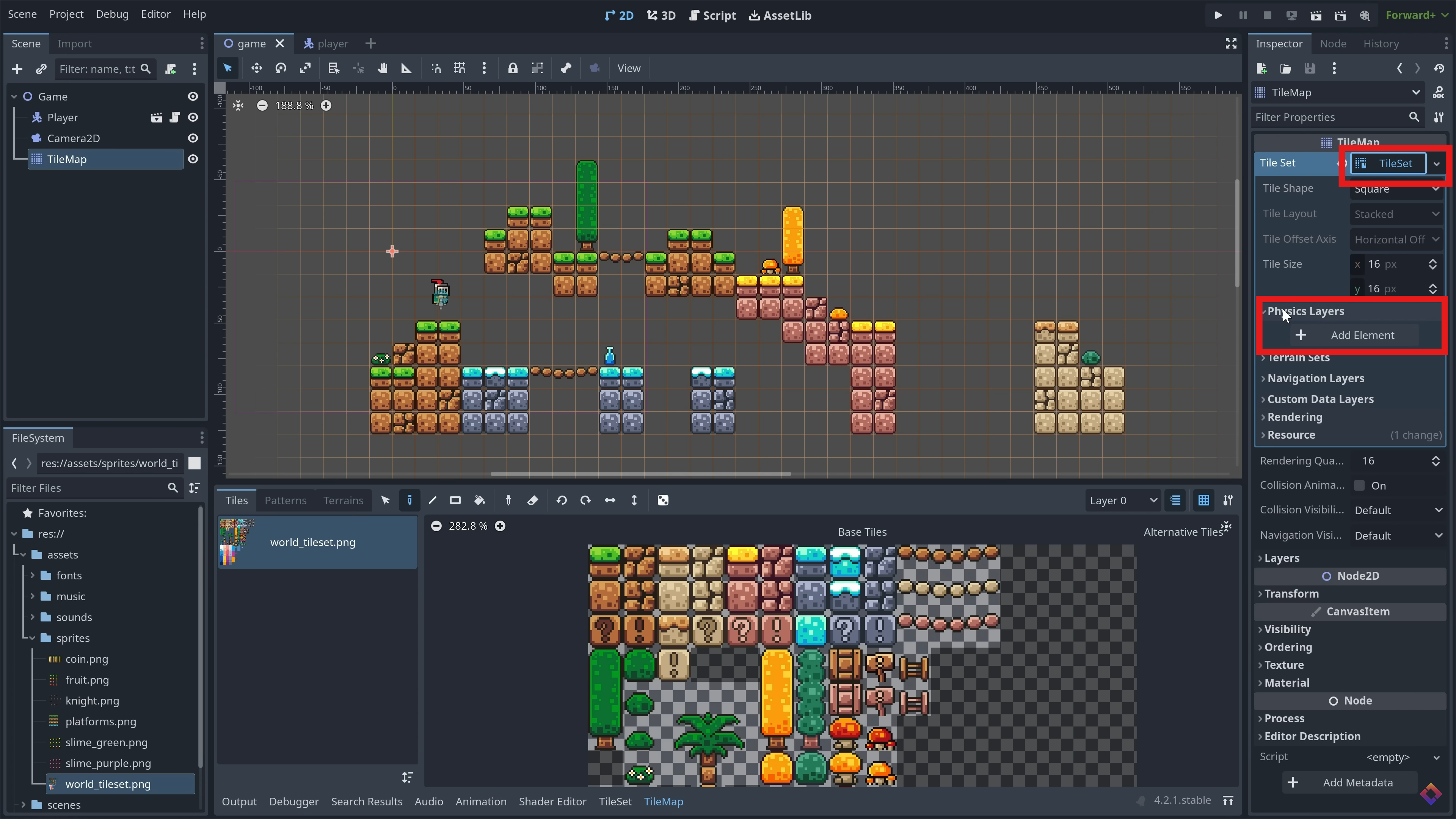
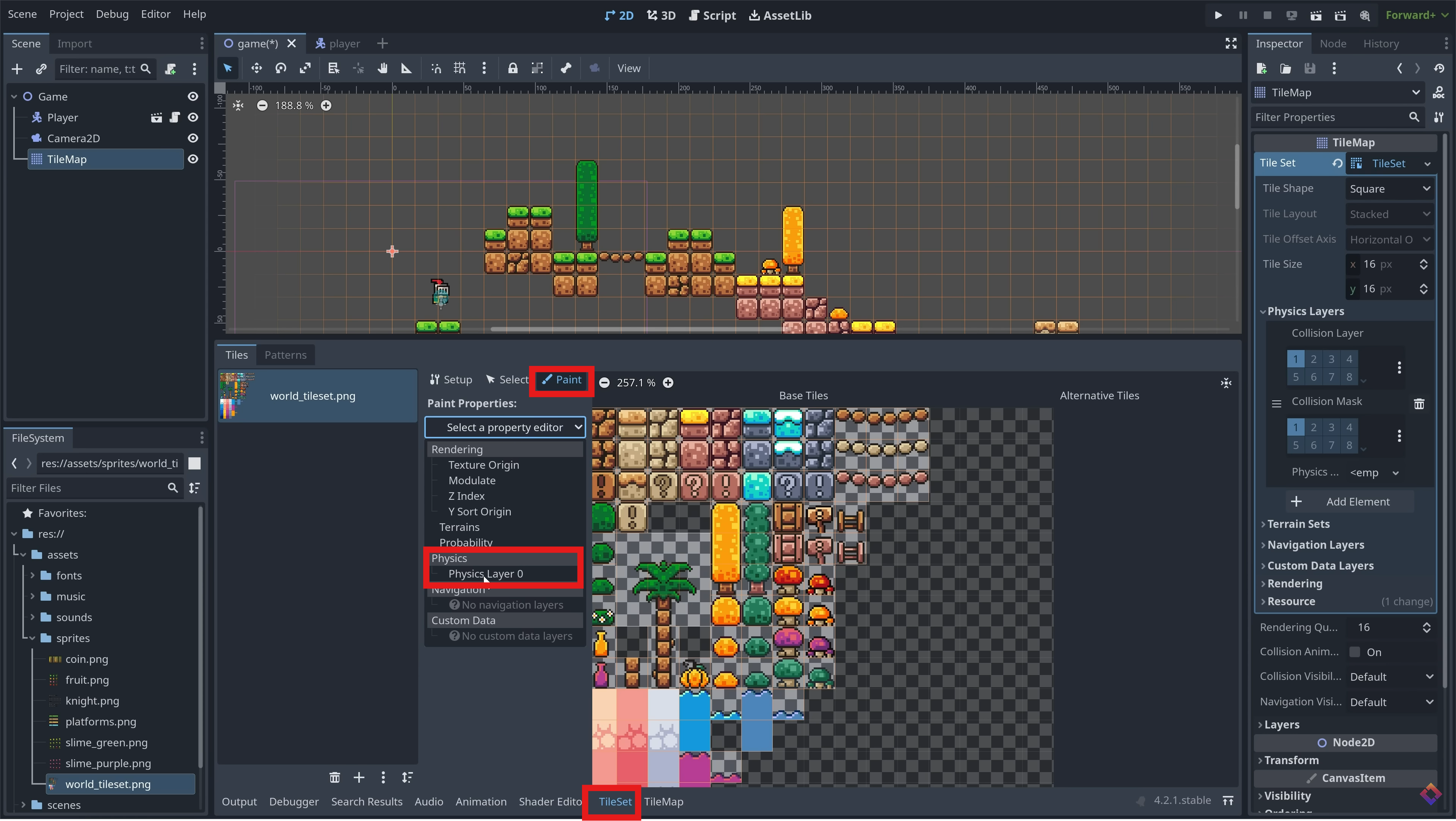
Add Physics Layer
In the inspector, add a new physics layer to the tilemap. Back in the TileSet window, click the 'paint' tab and paint the new physics layer onto each tile you want to have collision.
Common Tile Sizes
| Size (px) | Usage | Notes |
|---|---|---|
| 16x16 | Retro / NES Style | Very common for pixel art platformers. |
| 32x32 | SNES / GBA Style | Allows for more detail while keeping pixel look. |
| 64x64 | HD 2D | Used for higher resolution 2D games. |
| 128x128 | High Res | Often used for UI elements or detailed environments. |